
- By Prateek Levi
- Sat, 11 Apr 2026 11:09 AM (IST)
- Source:JND
Samsung One UI 8.5: Samsung has started pushing its One UI 8.5 beta to more Galaxy devices, and this time it’s not just the newest phones getting the update. The company is now extending early access to older models like the Galaxy S23 lineup, Galaxy S23 FE, Galaxy Z Fold 5, Galaxy Z Flip 5, and even the Galaxy A36 5G.
The rollout is live in India, Korea, the UK, and the US, which means a lot more users can now try out what’s coming next before the stable version lands.
ALSO READ: Instagram Finally Fixes One Of Its Most Vexing Comment Problems, Rolls Out Comment Editing
More Devices, Wider Push
If you look at the bigger picture, Samsung is clearly trying to keep more devices in the loop. The beta is already available on newer phones like the S25 and S24 series, and now it’s trickling down to slightly older flagships and mid-range devices.
Samsung says more devices will be added later this month, so this list isn’t final yet. If you’re interested, you can sign up through the Samsung Members app and get the update early.
At the same time, the stable One UI 8.5 update is already running on the Galaxy S26 series and newer A-series phones like the A57 and A37.
Quick Share Now Feels Way More Useful
One of the more noticeable changes is around sharing. Quick Share is getting smarter. It can now recognise people in your photos and suggest contacts automatically, which saves a few steps.
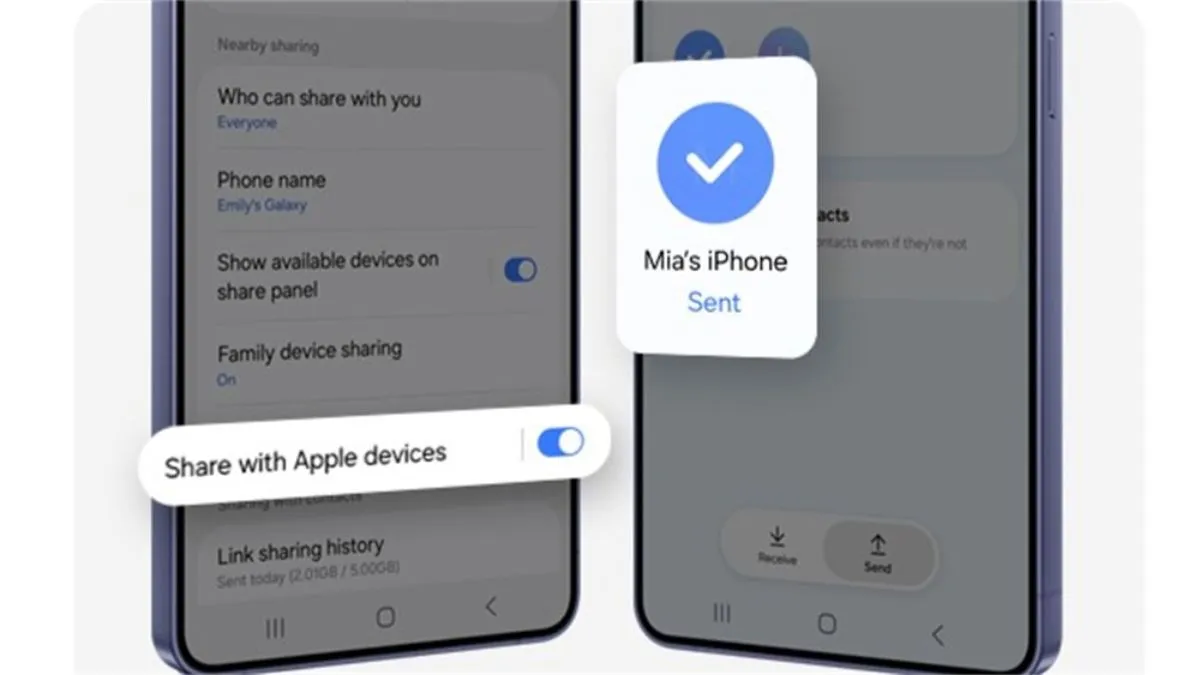
But the bigger deal is this, Samsung is finally making it easier to share files with iPhones. You can now send files in a way that feels similar to AirDrop, without needing extra apps. That’s something Galaxy users have wanted for a while.
Bixby Feels Less Robotic Now
Bixby is also getting a refresh, and honestly, it needed one. Instead of forcing you to use specific commands, it now understands more natural language.
So instead of digging through settings, you can just say what you want, and it handles it. It can also look at how your phone is currently set up and suggest changes. Plus, it can pull in real-time info from the web without pushing you into another app.
Editing Photos Feels Less Restrictive
Samsung is also tweaking how editing works. With Photo Assist, you don’t have to keep saving different versions while editing. You can just keep experimenting, and everything gets saved in the background.
Later, you can go back, check all versions, and pick what works best. It’s a small change, but it makes the whole process feel less annoying.
A Bit More Connected Than Before
There’s also a push toward making Samsung’s ecosystem feel more seamless. With Storage Share, you can access files across your phone, tablet, PC, and even TV directly from the My Files app.
And then there’s Audio Broadcast, which lets you stream audio to nearby supported devices. Think of it like sharing what you’re listening to with a group, without passing around earbuds.
Security Is Getting Stricter
Samsung is tightening things on the security side too. There’s a new Theft Protection feature aimed at keeping your data safe if your phone is lost or stolen.
Another addition is a lock that kicks in after multiple failed unlock attempts. Identity Check has also been expanded, so there’s more control over sensitive settings.